Build the rota and publish notices for your team.
Rota planning · People · Timesheets
Run your week.Keep your team connected.
Plan shifts, bring people on board and review worked hours. One workspace for managers, HR and the people doing the work.
Managers plan & reviewEmployees stay in the loop
Currently in beta. All screens below use fictional staff data.
Inside the workspaceFictional demo
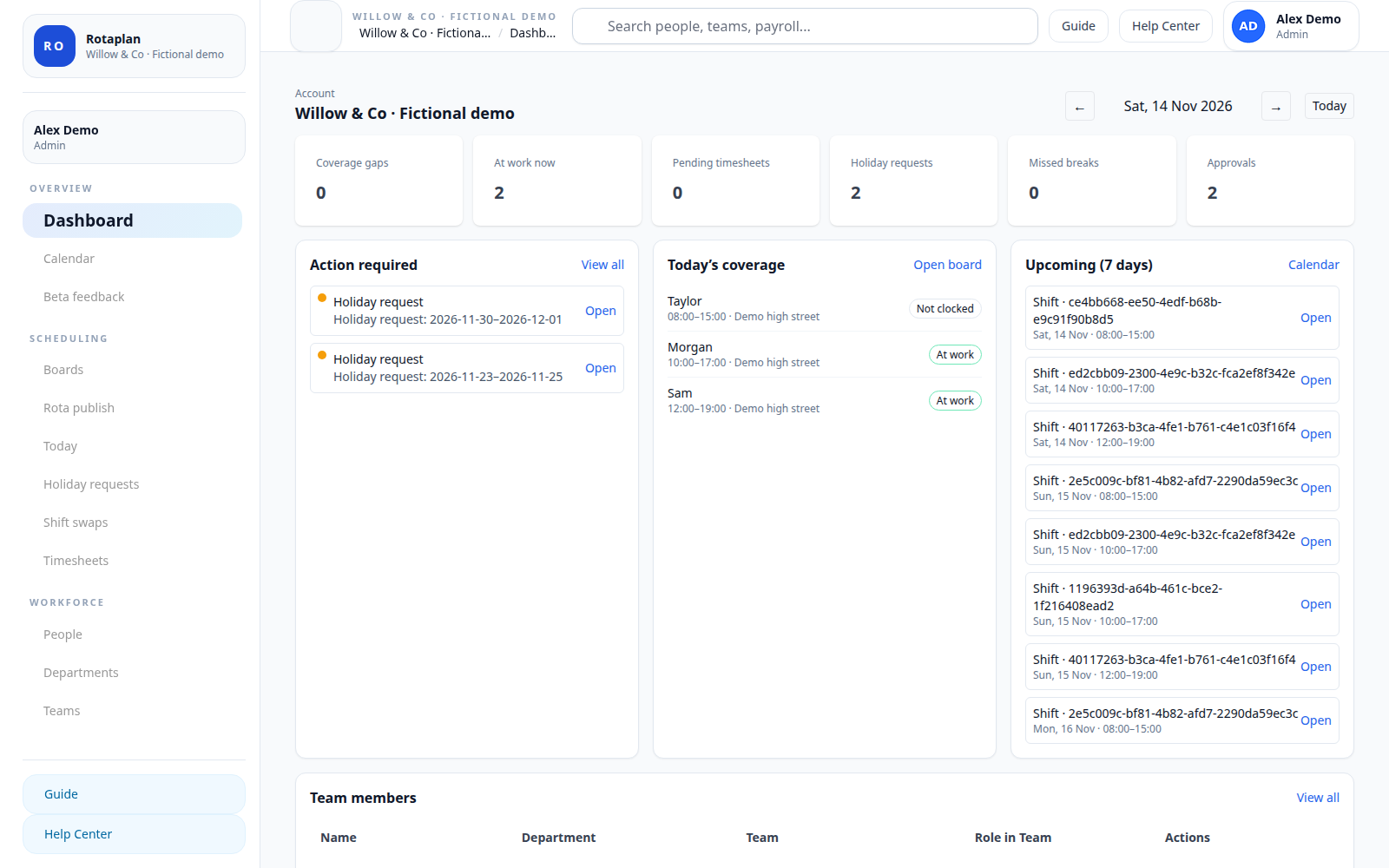
Your working day at a glance.
Coverage, upcoming shifts and requests in one view.
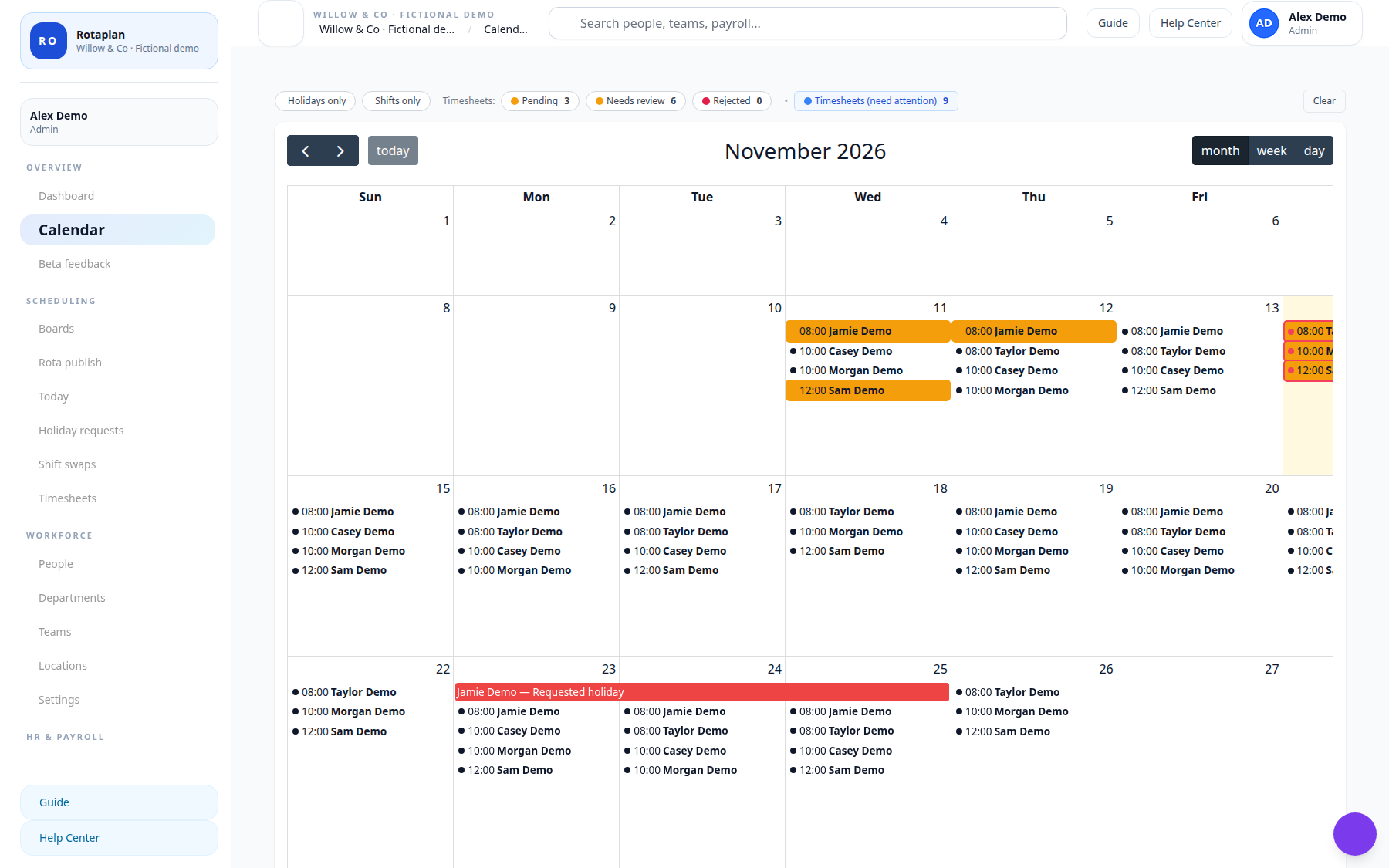
A rota your team can follow.
Explore a populated calendar with fictional people and shifts.
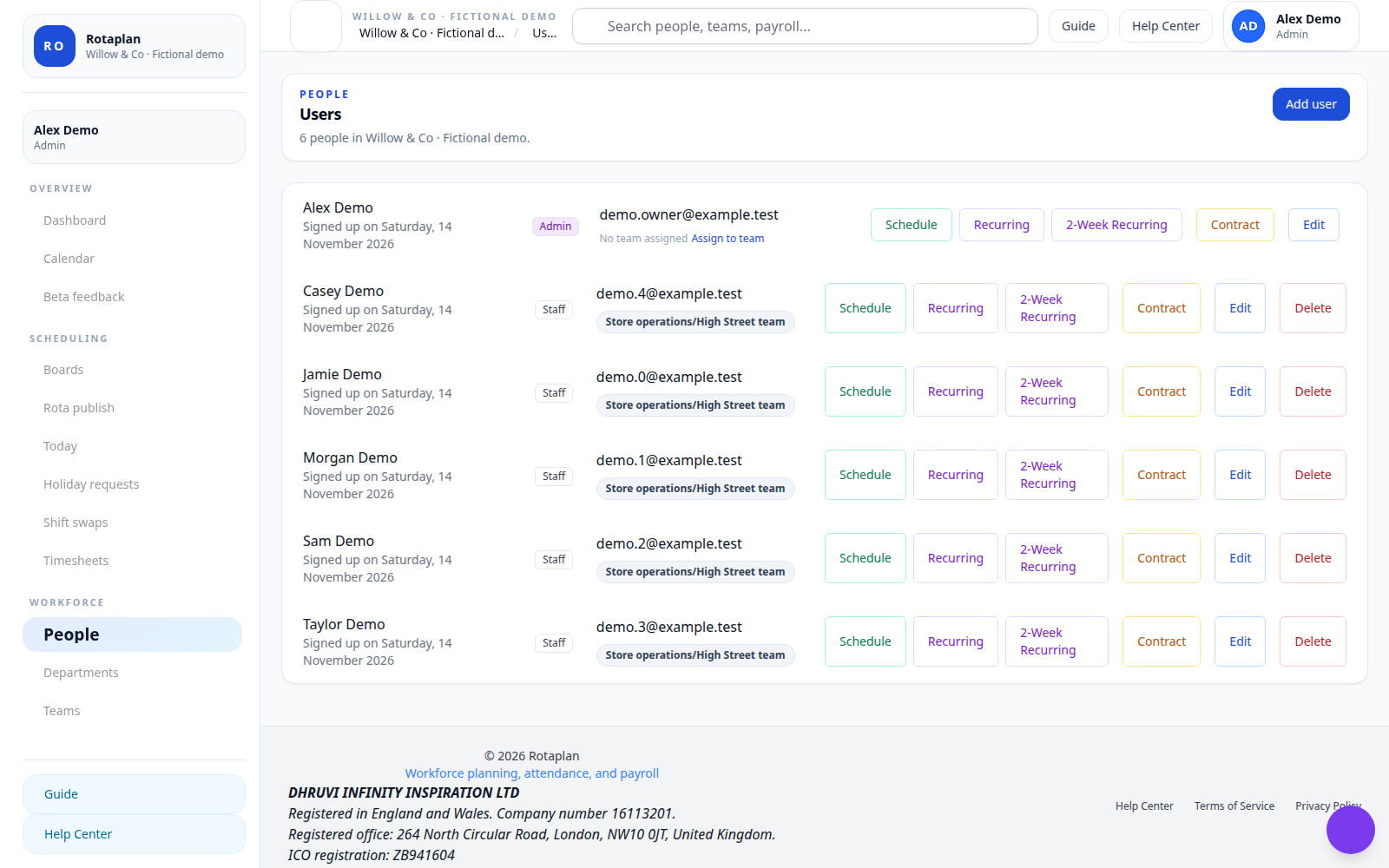
Keep your people connected.
Find team members, roles and assignments in one workspace.
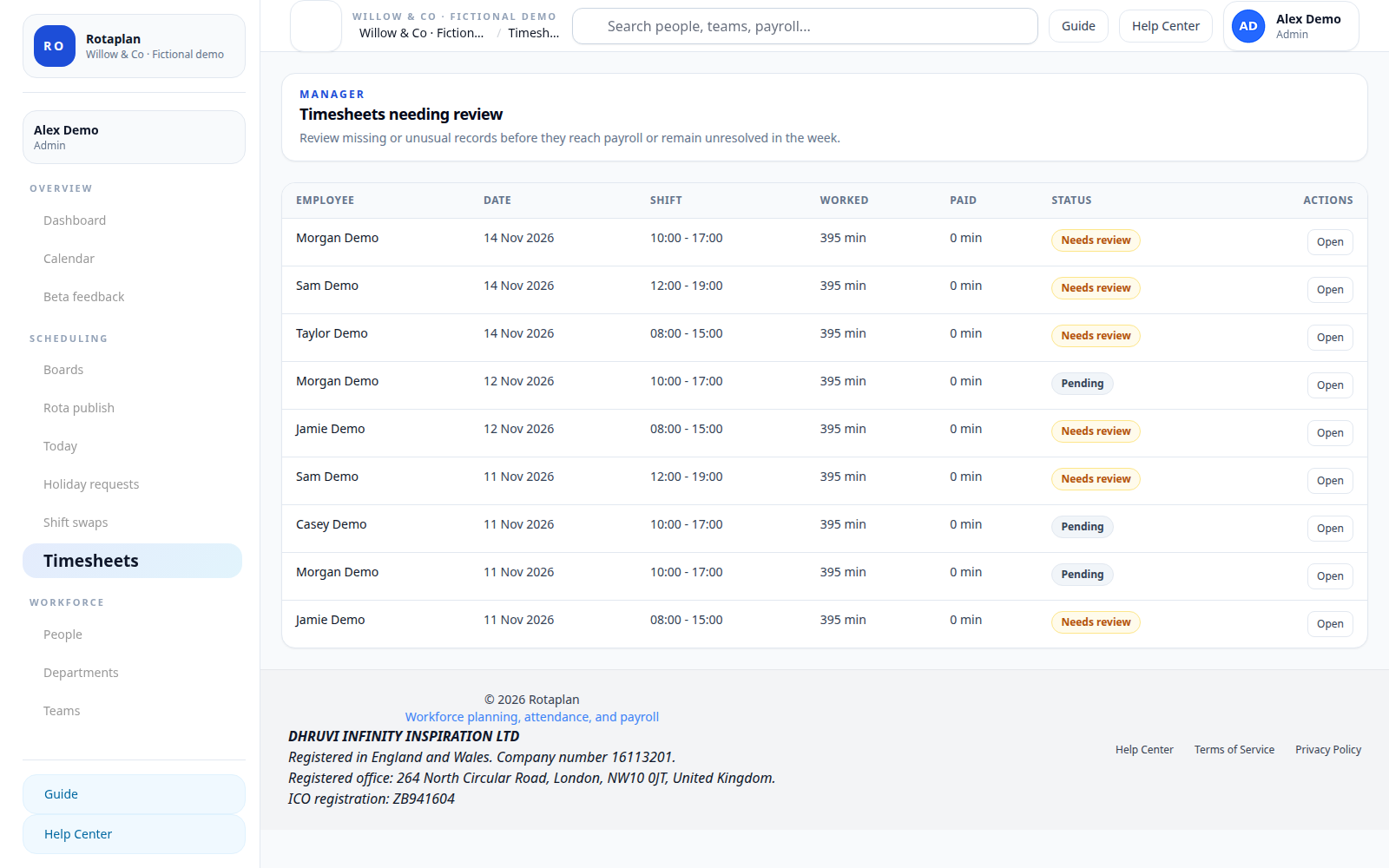
Give worked time a proper review.
Compare planned and actual hours before a payroll handoff.
A shared overviewCoverage and upcoming work
Action requiredLeave and time to review
Your peopleTeam context in one place
Keep team assignments, invitations and onboarding together.
Check timesheets before a payroll handoff.
Employees can view their rota and leave on a phone.
See the real productMore than a calendar.
More than a calendar.
A workspace for the whole team.
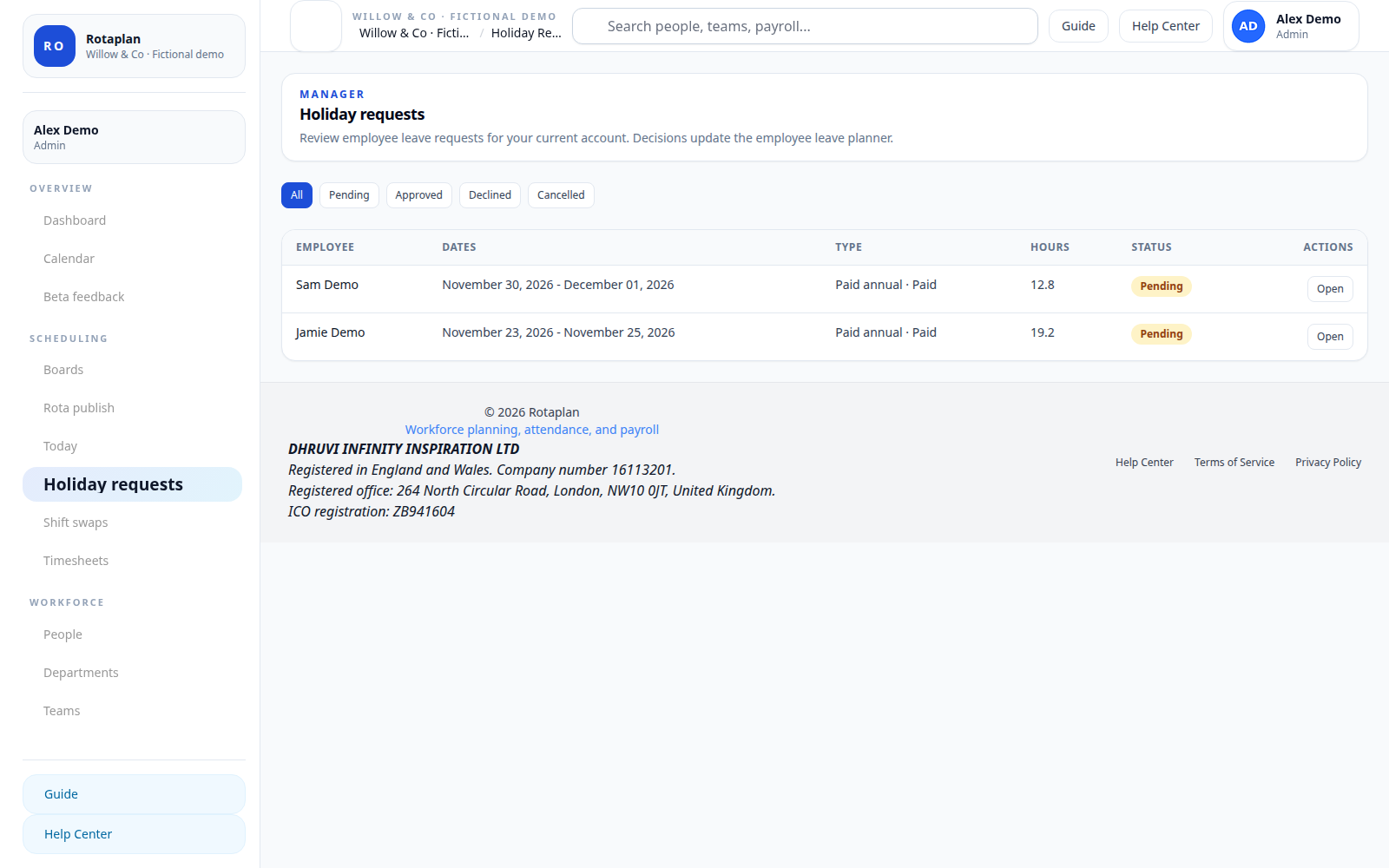
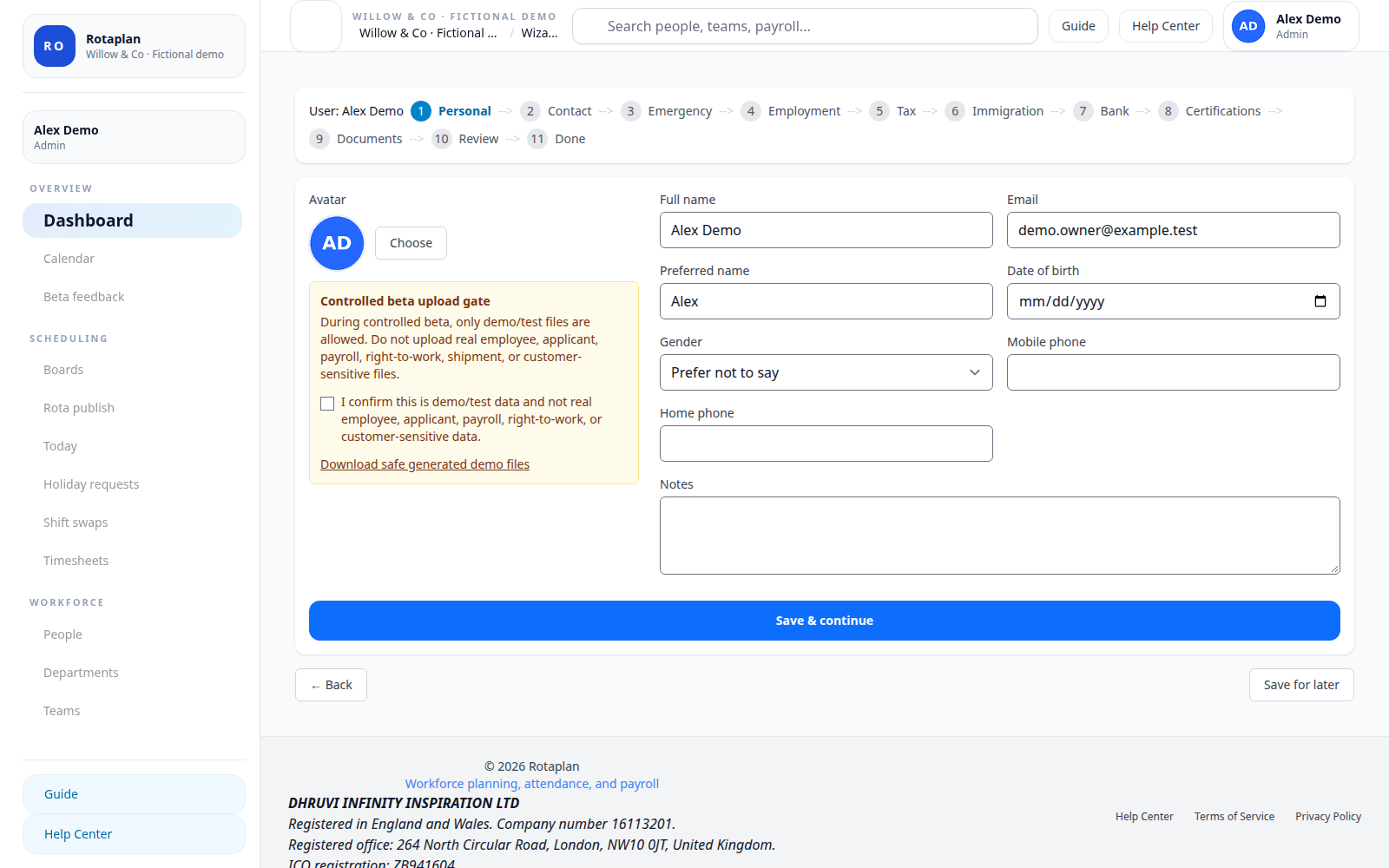
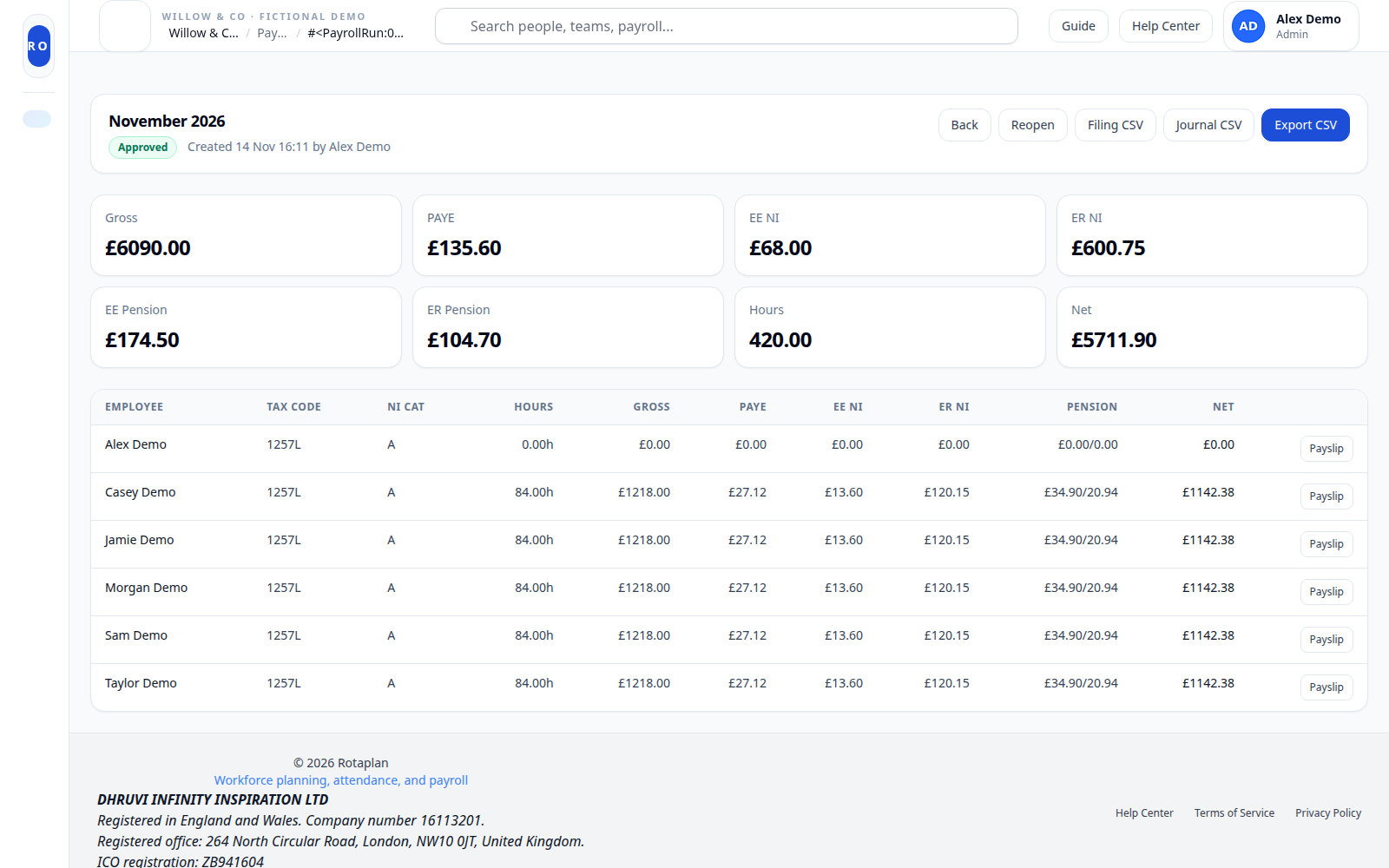
Move through actual app screens: the dashboard, rota, people, time review, leave, onboarding and payroll preview. Select a screenshot for a closer look.
Actual app capture · fictional demo data · select to enlarge
Actual app capture · fictional demo data · select to enlarge
Actual app capture · fictional demo data · select to enlarge
Actual app capture · fictional demo data · select to enlarge
Actual app capture · fictional demo data · select to enlarge
Actual app capture · fictional demo data · select to enlarge
Actual app capture · fictional demo data · select to enlarge
Employee self-serviceThe working week.
The working week.
In their pocket.
Explore the real phone experience: rota, holidays, home and pay preview. One larger screen at a time, with the workflow alongside it.
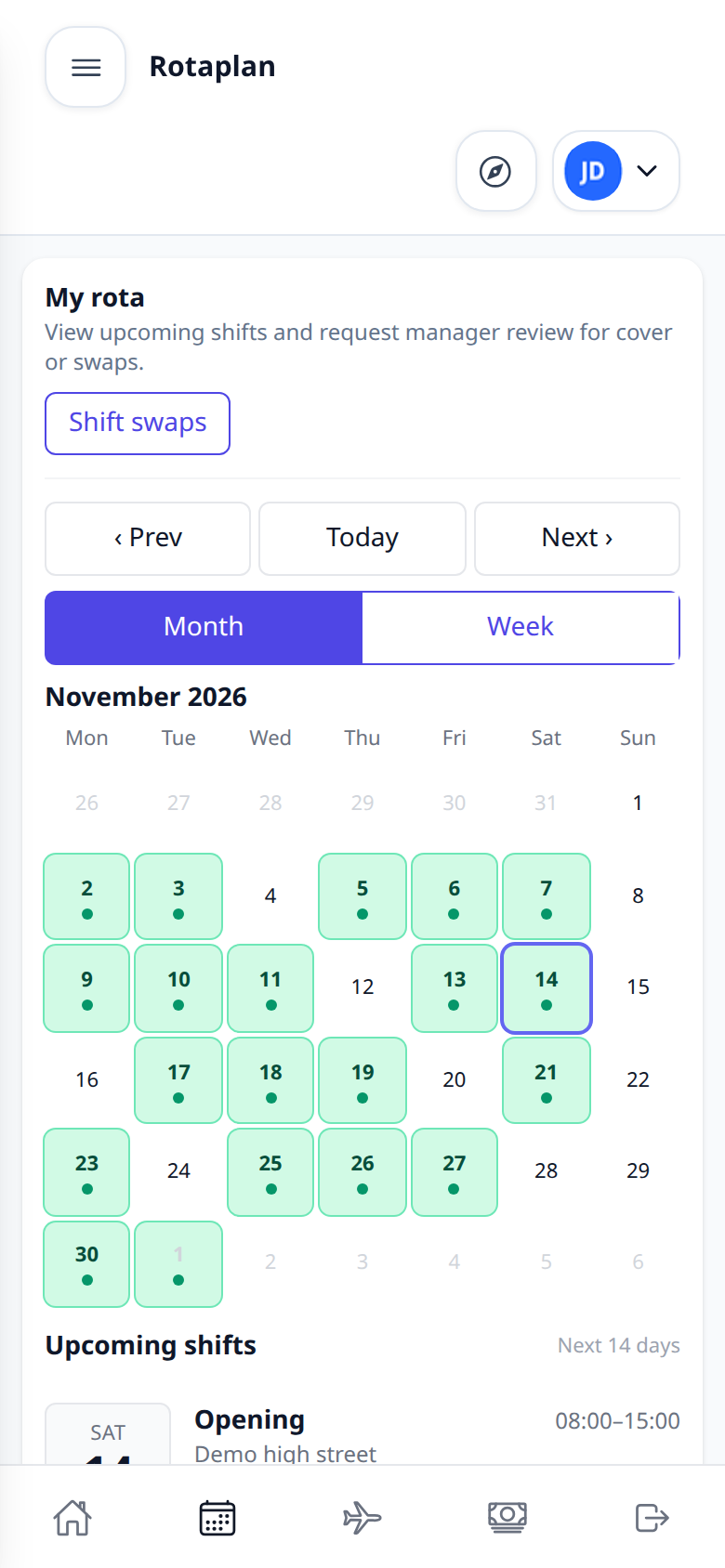
Employee self-service · 01
A working week you can actually read.
A personal calendar with assigned shifts and a clear agenda underneath. Explore one readable phone screen at a time.
- Month and week views
- Upcoming shifts in one place
- Published rota notices
Employee self-service · 02
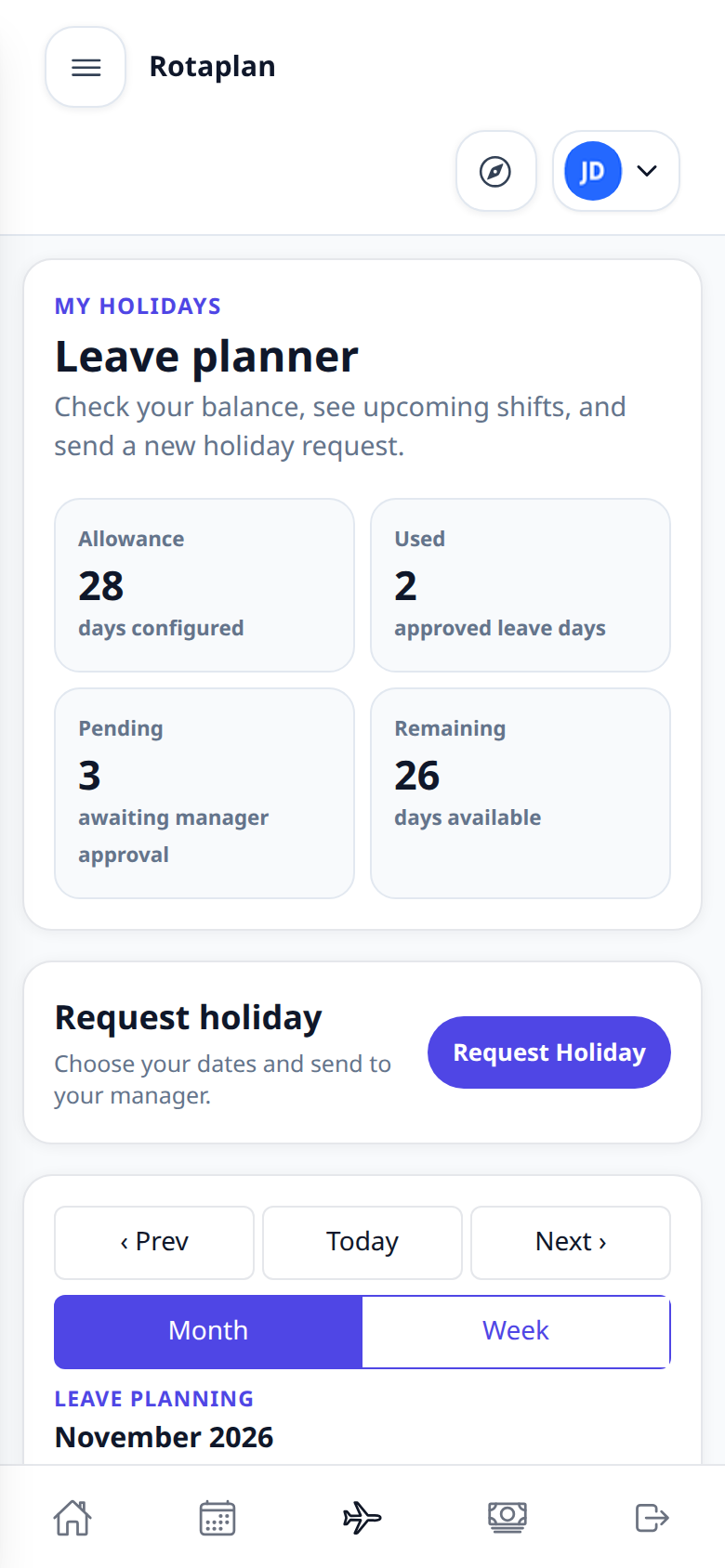
Know where your leave stands.
See the configured allowance, used and pending leave, then start a request from the same workspace.
- Allowance and remaining balance
- Pending and approved requests
- A clear request action
Employee self-service · 03
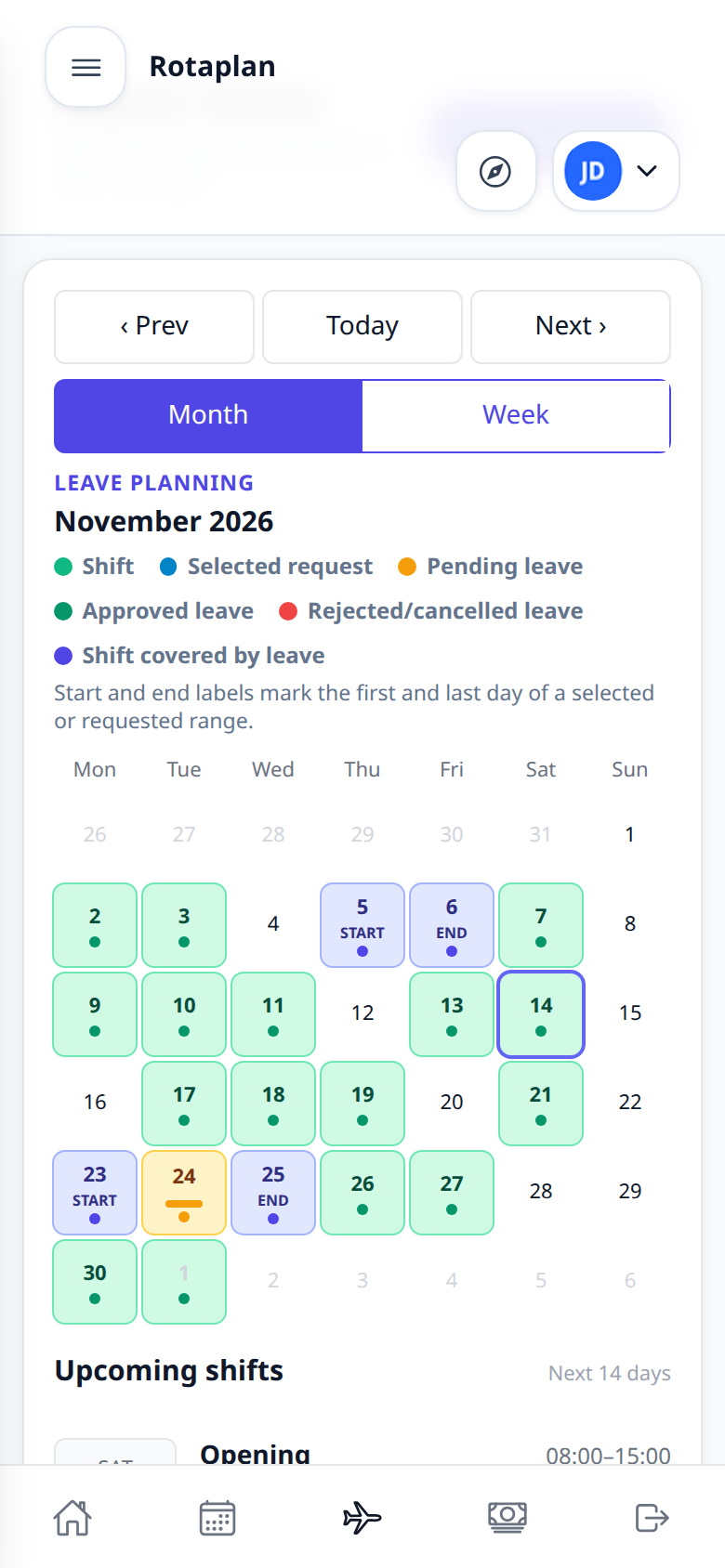
Put leave beside the working week.
Keep shifts and leave markers in the same personal calendar, with a legend that explains each state.
- Shift and leave context
- Approved and pending markers
- A month you can plan around
Employee self-service · 04
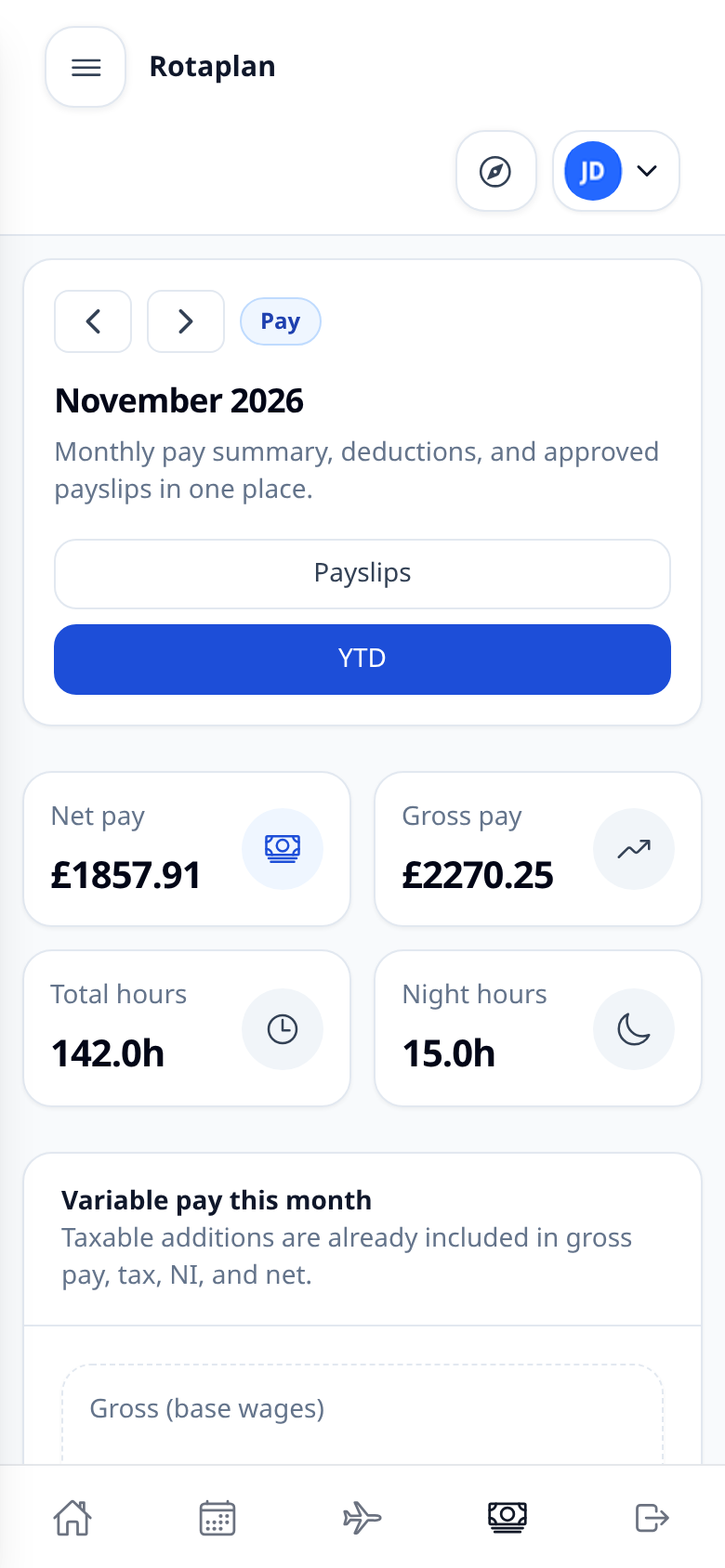
Bring the preview figures together.
Worked hours, gross and net figures in the employee view. These fictional monthly calculations are a limited preview that needs independent checking.
- Hours and night-hours cards
- Gross and net preview totals
- Monthly pay context
Employee self-service · 05
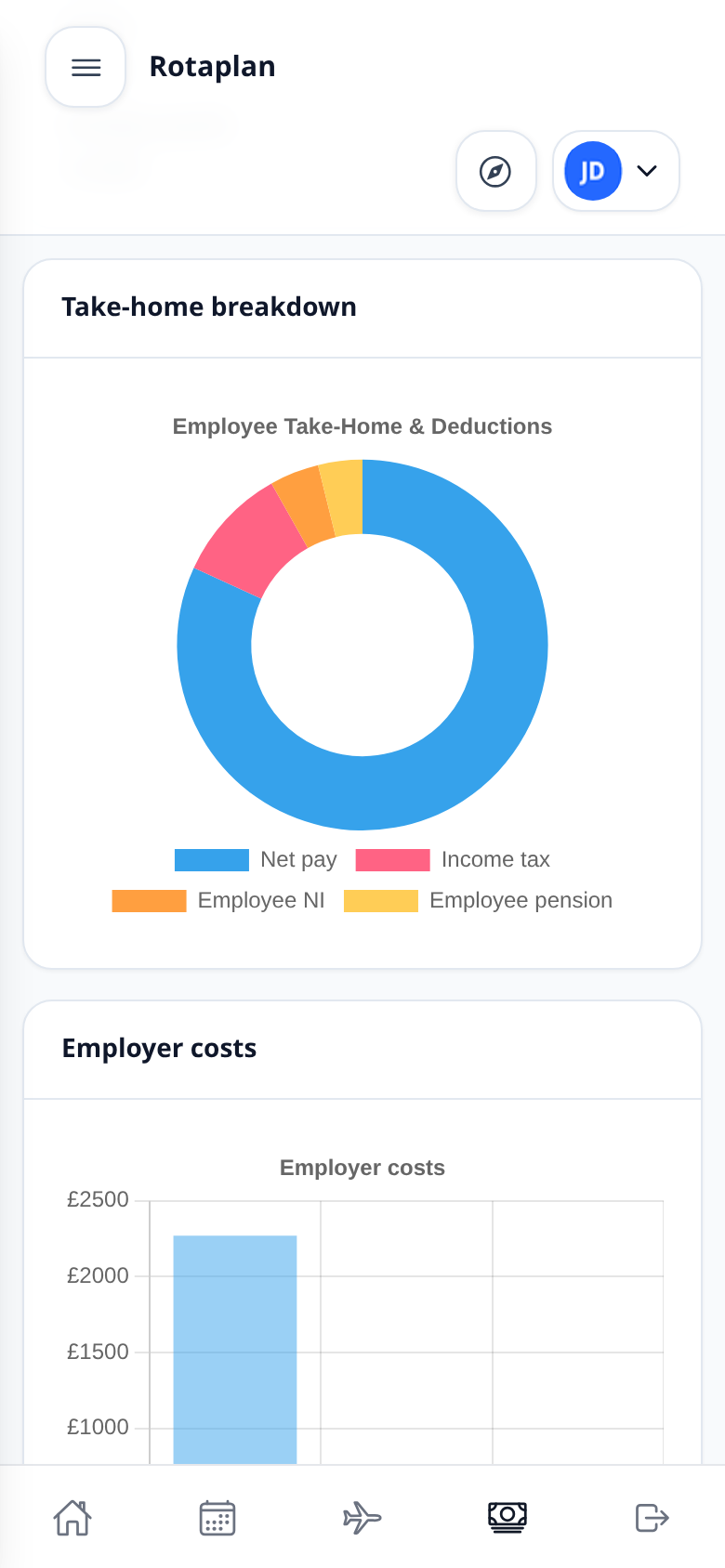
See the breakdown behind the preview.
The actual app chart makes fictional take-home and deduction components visible. This is not an HMRC submission or accepted statutory payroll.
- Take-home and deduction chart
- Tax, NI and pension components
- A visual monthly preview
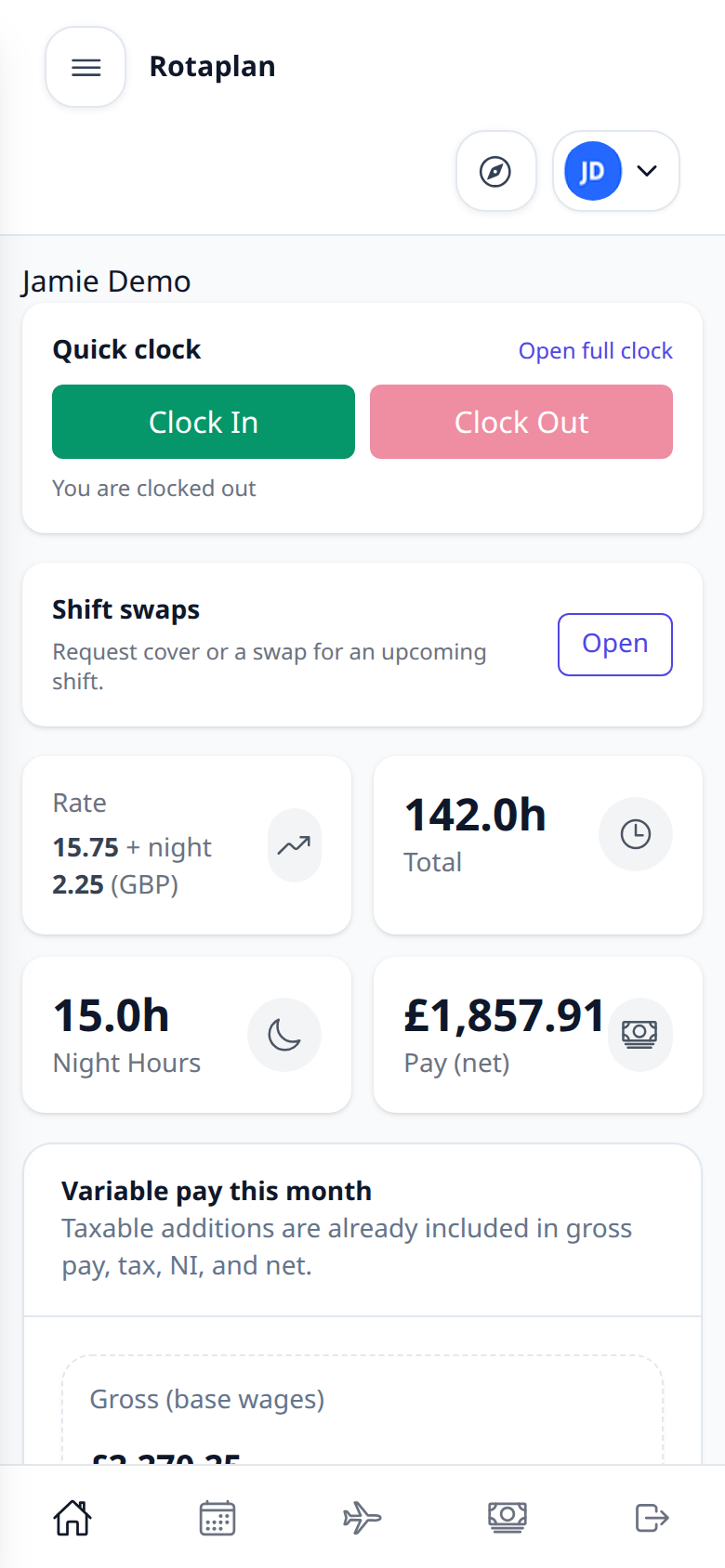
Employee self-service · 06
A clear start to the day.
The personal home brings quick clock controls, shift swaps and monthly summary cards into one view.
- Quick clock controls and status
- Shift-swap access
- Personal hours and pay cards
Actual phone captures · fictional demo data · select a screen to enlarge
Core modules
Keep the everyday work together.
Start with the workflows your team needs. Keep people, planning and review connected.
Rota planning
Plan shifts, recurring patterns and published rota notices. Keep the people doing the work informed.
People & onboarding
Organise teams, invite colleagues and save incomplete onboarding details to finish later.
Timesheet review
Compare planned and worked time, review exceptions and export approved hours for your payroll process.
Leave requests
Employees can request leave; managers can review requests with team and schedule context.
Employee workspace
A separate employee experience for personal shifts, leave, clocking and pay information.
Payroll handoff
Review approved-hours exports. Native pay calculations remain a limited monthly preview, with no HMRC submission.
How it works
From a team to a shared plan.
Explore with fictional staff first. Our help centre walks through each setup step.
01
Set up your people
Create the company structure, add your demo team and send invitations using test mail.
02
Plan and share the week
Schedule shifts, publish a rota notice and let employees check and acknowledge it.
03
Review worked time
Resolve timesheet exceptions and hand reviewed hours to your accepted payroll process.
The complete 13-step setup walkthroughFrom a demo workspace to people, rotas, leave and payroll review.
Follow the steps in order using fictional staff. The final checklist is a rehearsal; real employee-data rollout and payroll acceptance remain separate.
- From free sign up to your first live companyGetting Started · 8 min
- Configure company information and core policiesCompany Setup · 10 min
- Set up locations, departments, and teamsCompany Setup · 8 min
- Define certification and compliance requirementsPeople & Permissions · 7 min
- Set up roles, permissions, and manager scopePeople & Permissions · 9 min
- Add employees, send invites, and build the people listPeople & Permissions · 8 min
- Run employee onboarding from start to finishPeople & Permissions · 10 min
- Set contracts, pay, bank, and tax detailsPayroll & Compliance · 11 min
- Create shifts, recurring patterns, and weekly rotasScheduling & Time · 10 min
- Track attendance, review exceptions, and approve timesheetsScheduling & Time · 9 min
- Manage leave requests and absence decisionsScheduling & Time · 7 min
- Prepare, lock, and approve a payroll runPayroll & Compliance · 11 min
- Go-live checklist for your first teamGetting Started · 6 min
A few useful answers
Before you explore.
Who is Rotaplan for?
Shift-based teams who need rota planning, people records and timesheet review. Employees, managers, HR and admins have separate workflows.
Can employees use it on a phone?
Yes. The employee experience includes a personal rota, rota notices, leave requests and a mobile layout. The screenshots above show the working app.
Does Rotaplan submit payroll to HMRC?
No. Native pay calculations are a limited monthly preview. Review exports are not HMRC submissions. Use your accepted payroll process and independently check figures.
Can I add real employee information?
The current beta uses fictional staff data. Real employee-data rollout requires the privacy, processor, retention and operational checks described in our beta scope.
Where can I find pricing?
Pricing and commercial terms have not been published. Contact DII to discuss the beta and your requirements.
See what a connected week looks likeYour people. Your plan.
Your people. Your plan.
A clearer view of the work.
Explore the real app screens, then talk to us about your team and the current beta.